Is Tasks.Bot Good for Natural Language Automation Software? An Honest Review
You type a task into WhatsApp and wonder if the bot will actually understand it. Most task apps force your team to leave the chat, open a dashboard, and fill out forms. That friction is why half your assignments never get logged.
This review breaks down how Tasks.Bot reads natural language and voice notes, what its automations, GPS tracking, and face-verified attendance actually do, and what the beta status, pricing, and refund policy mean for you. By the end, you will know whether it fits your team or not.
What Is Tasks.Bot? A WhatsApp-Native Task Management Platform
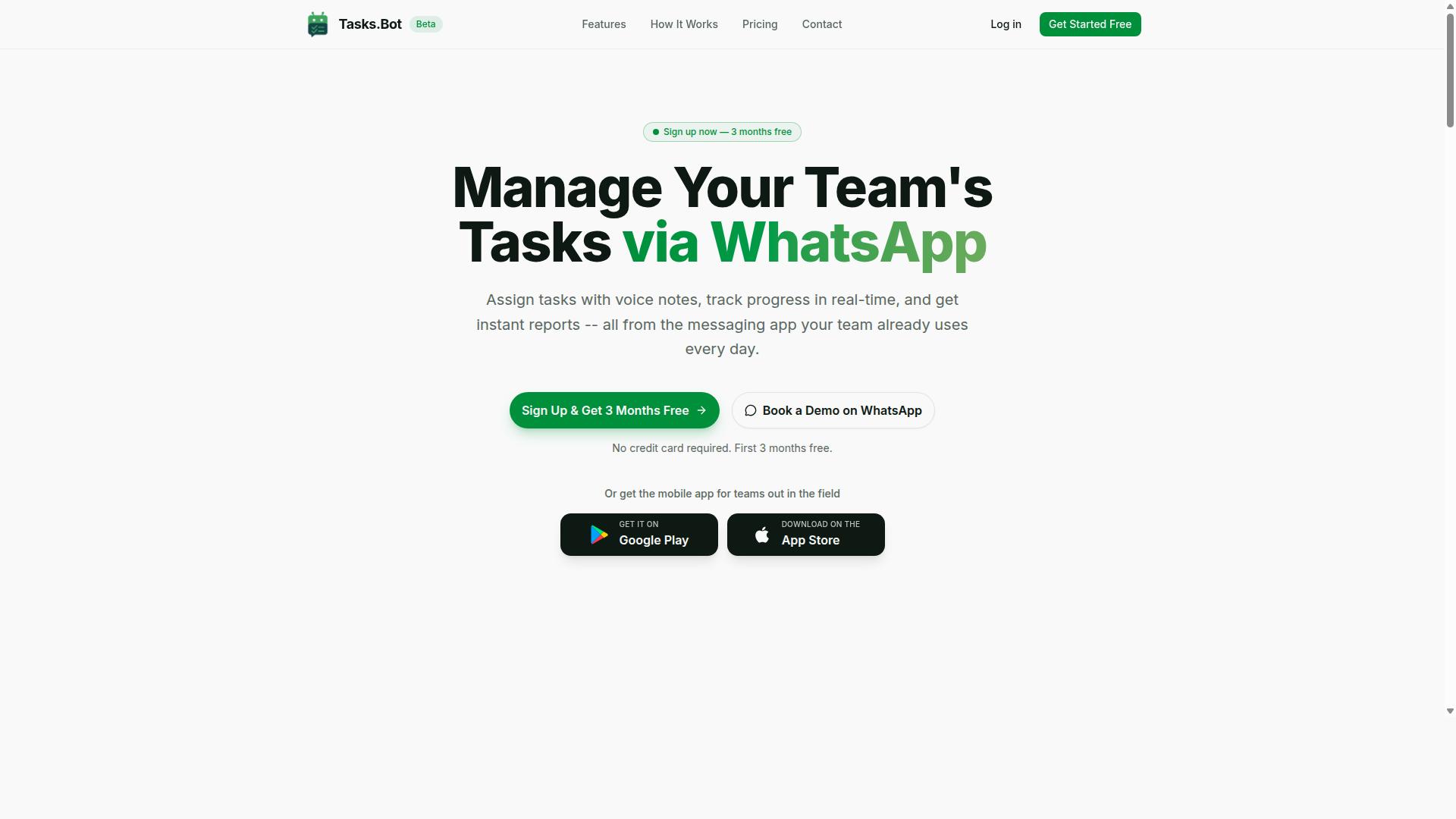
Tasks.Bot is a task management platform that operates entirely within WhatsApp, allowing teams to assign tasks, track progress, and receive reports without leaving the messaging app.
That approach removes a common barrier to adoption: teams do not need to learn new software, because the platform lives inside an app they already open every day. Instead of juggling a separate dashboard, staff interact with Tasks.Bot through familiar chat threads.
Tasks.Bot is a SaaS product available to teams worldwide, and it also offers a mobile app for field teams. The service is currently in beta and includes a free trial period, so teams can evaluate it before committing.
Who Tasks.Bot Serves and How It Works
Tasks.Bot is designed for teams that rely on WhatsApp for communication, particularly those with field staff who need to manage tasks, track attendance, and generate payroll-ready hours. Remote and mobile workers fit this profile especially well, since they often coordinate through chat rather than desktop tools.
The platform works through natural language automation. Team members create tasks by typing a message or sending a voice note, and Tasks.Bot handles assignment and tracking inside WhatsApp. This is a form of conversational AI applied to everyday coordination rather than a standalone bot builder.
Practical examples show how this plays out:
- Assigning a delivery task to a driver and following its status in the same chat thread
- Logging attendance when a field worker checks in for a shift
- Generating payroll-ready hours from tracked attendance records
Because the mobile app supports field teams, workers who are away from a desk can still take part. The site mentions that hundreds of teams already use the service.
For anyone weighing natural language automation software, this matters. Tasks.Bot reduces the friction of workflow automation by meeting teams where they already are, which is a meaningful advantage in an honest review of its fit for field and remote operations.
Is Tasks.Bot Good for Natural Language Automation? The Honest Answer
When evaluating Tasks.Bot for natural language automation, the platform demonstrates strong capabilities in understanding and executing tasks from conversational input. It applies AI to interpret everyday messages and voice notes, turning them into structured tasks without menus or forms.
Its biggest strengths are ease of use and native WhatsApp integration. Team members do not need to install anything or create new accounts, which removes a common barrier to adoption in software evaluation.
The honest limitation is scope. Tasks.Bot is built around WhatsApp, so teams that want a standalone web dashboard or a general bot builder may find it narrower than a full chatbot platform. Its AI features are also still maturing, which is worth weighing against the convenience it delivers.
How Tasks.Bot Handles Natural Language and Voice Note Task Creation
Tasks.Bot leverages AI to parse natural language and voice notes, converting them into structured tasks with assignees, deadlines, and details. The service uses AI to understand user intent and create tasks from messages, so a single sentence can carry everything needed to act.
Accuracy is generally solid for clear, everyday instructions, and voice capture is available through the Android and iOS apps as well as WhatsApp itself. Because the AI features are still in beta, complex or ambiguous phrasing may need a follow-up message to resolve. That is a reasonable trade-off for a tool that lets a team create and assign work in seconds, straight from a chat.
Key Features That Make Tasks.Bot Stand Out
Tasks.Bot distinguishes itself with a suite of features designed to automate workflows and support field teams directly within WhatsApp. Instead of forcing teams to adopt yet another dashboard, it turns a messaging app they already use into a lightweight task automation hub.
Four capabilities do most of the heavy lifting: automations and approvals, smart deadline reminders, GPS tracking, and face-verified attendance. Each one targets a specific source of manual effort, from chasing sign-offs to confirming who actually showed up on site.
For anyone weighing natural language automation software, these features are the clearest signal of what Tasks.Bot does well. The sections below break down how each one works in practice.
Automations, Approvals, and Smart Deadline Reminders
Tasks.Bot offers automations and approvals, along with smart deadline reminders, to help tasks progress without manual intervention.
Approvals add a checkpoint to that flow. When a task requires sign-off before it can proceed, Tasks.Bot sends a WhatsApp message to the approver, who can act without logging into a separate system. This keeps workflow automation inside the conversation rather than scattered across tools.
Smart deadline reminders help keep tasks on track. Because reminders arrive through WhatsApp, they tend to get seen faster than email.
The net effect is fewer dropped handoffs. Approvals, reminders, and triggers run in the background, so people spend less time chasing status updates and more time on the actual work.
Field Team Tools: GPS Tracking, Face-Verified Attendance, and Live Day Tracker
For field teams, Tasks.Bot offers GPS tracking, face-verified attendance, and a live day tracker to monitor progress and ensure accountability. These tools matter most for businesses where staff work off-site and managers cannot see activity in person.
GPS tracking shows where field staff are in real time, which helps with routing, coverage, and confirming that jobs are actually being visited. Face-verified attendance uses facial recognition to confirm check-ins, reducing the risk of buddy punching or time theft.
The live day tracker gives managers a running timeline of tasks completed throughout the day. Instead of waiting for an end-of-day report, a supervisor can glance at progress and spot gaps while there is still time to react.
All three tools feed into WhatsApp, so updates appear where the team already communicates. A field agent can check in via face verification, have their location logged, and continue working without switching apps.
The practical payoff is payroll-ready hours and a clearer record of who did what, when, and where. Combined with shifts, leave, and hours management, these features turn scattered field activity into something a manager can actually verify.
Pricing and Plans: Free Trial, Monthly, and Annual Options
Tasks.Bot offers a 'Full Access' plan with all features included, available in monthly and annual subscriptions, with pricing in Indian Rupees and US Dollars. The site includes a 'Select currency' option for Indian Rupee and US Dollar, so buyers should verify their currency before subscribing. This keeps natural language automation accessible to both domestic and international users.
The monthly plan costs ₹200 per member per month. The annual plan costs ₹1,200 per year per member, which works out to roughly ₹100 per month, a saving of 50% and ₹1,200 per year for each member. Both plans include the same 'Full Access' feature set, so the choice comes down to billing preference rather than capability.
New users also receive 3 months free, with no credit card required, and can cancel anytime. Since Tasks.Bot is in beta and offers a 'Book a Demo on WhatsApp' option, the free period effectively acts as a trial window. It gives teams time to test task automation, field tools, and reports before paying anything.
Full Access means every feature is unlocked from day one. There are no tiers that hide automations, field tools, or reports behind a higher price. For a no-code automation buyer, that simplicity removes the usual guesswork of comparing plan limits.
- Monthly: ₹200 per member per month
- Annual: ₹1,200 per year per member, equal to ₹100 per month
- Savings: 50% versus monthly, or ₹1,200 per year per member
- Free period: 3 months free, no credit card required
- Cancellation: anytime
Annual billing is clearly the more cost-effective route. A team of five paying monthly spends ₹12,000 over a year, while the same team on the annual plan pays ₹6,000. That gap matters for small businesses weighing workflow automation against other software costs.
Refund policy availability is also worth checking before purchase. Buyers should confirm the current terms directly, since plan details and policies can shift while a product is in beta. Verifying currency and refund terms takes only a few minutes and avoids billing surprises later.
Overall, the pricing structure is straightforward and transparent. A low entry price, a free window with no card required, and identical features across both plans make Tasks.Bot a reasonable option for teams exploring AI assistant driven task management.
Trust Signals: Beta Status, Encryption, and Refund Policy
Tasks.Bot is currently in beta, which means it is still evolving, but it offers encryption and a refund policy to build trust. Those three signals, beta status, encryption, and a refund policy, tell you a lot about how the company approaches risk. For anyone weighing natural language automation for real work, this is the section worth reading closely.
Beta status cuts both ways. On one hand, a beta label signals that the product is still being refined, so some rough edges and bugs are possible. On the other, it usually means the team is actively shipping changes and listening to feedback rather than coasting on a frozen release.
For a chatbot platform built around natural language understanding, that feedback loop matters. A beta product with a responsive team can close gaps faster than a static one.
Encryption is the second trust signal. Tasks.Bot states that enterprise-grade encryption ensures data security, and that conversations and task data are never shared or used for training. That matters more than usual here, because conversational AI and virtual agent workflows often carry customer messages, order details, and other sensitive content.
The third signal is the refund policy, which the site mentions in its footer. A refund option lowers the cost of trying something new. If a no-code automation setup does not fit your workflow, you are not locked into a sunk cost.
A few other details round out the picture:
- The service is globally available, with no country restrictions listed.
- The site includes a "Book a Demo on WhatsApp" option for hands-on questions.
- The copyright year reads 2026, a sign the site is current.
How should you weigh beta status against the benefits? Treat it as a trade-off, not a dealbreaker. If your workflow automation needs are straightforward, such as routing requests or triggering conditional logic, beta risk is low. If you depend on deep multi-turn conversation and context handling, test those paths first.
One practical step: before committing, run a small pilot using your own training phrases and utterances. A short trial reveals more than any feature list.
It also helps to ask about API integration and webhook support early. If Tasks.Bot needs to talk to your existing third-party apps, confirm how that connection works during the beta period. The "Book a Demo on WhatsApp" option gives you a direct way to raise those questions.
The verdict on trust signals is clear. A beta label plus encryption plus a refund policy is a reasonable combination for a task automation tool still finding its footing. The refund policy limits your downside, encryption protects your data, and beta status means the product is likely to keep improving. For most teams evaluating Tasks.Bot, that is enough to justify a trial rather than a rejection.
Who Should Use Tasks.Bot - and Who Shouldn't
Tasks.Bot is ideal for WhatsApp-centric teams with field staff, but may not suit organizations that prefer email or dedicated project management tools. The platform is built around a simple idea: if your people already live in WhatsApp, task automation should meet them there rather than forcing them into yet another app. That single design choice shapes exactly who gets the most value from it.
According to the brand, hundreds of teams already use the service, and its stated audience is teams that communicate through WhatsApp, particularly those with field staff who need task management, attendance tracking, and payroll-ready hours. If that description sounds like your operation, Tasks.Bot was essentially designed with you in mind.
Location is not a barrier. Tasks.Bot is globally available, so a crew in one country and a manager in another can work from the same WhatsApp thread without worrying about regional restrictions.
Who benefits most:
- WhatsApp-first teams. Groups that already run day-to-day coordination through WhatsApp chats will find natural language automation fits their existing habits instead of disrupting them.
- Field operations. Construction crews, delivery teams, maintenance staff, and similar remote workers can report status and log hours without opening a separate tool.
- Small to medium businesses. Teams that want task automation, attendance tracking, and payroll-ready hours without adopting a heavy enterprise platform are a natural fit.
- Managers who dislike chasing updates. When task automation lives inside the chat app your staff already check, follow-ups become part of the conversation rather than another reminder to send.
Consider two contrasting examples. A construction company with remote workers spread across multiple sites can use Tasks.Bot to keep assignments, attendance, and hours in one WhatsApp-based flow. A marketing agency that runs its entire operation in Slack, by contrast, would be pushing against the grain, since the platform's strength is WhatsApp, not Slack-style team chat.
Who should think twice:
- Teams needing integrations far beyond WhatsApp. If your software evaluation checklist is dominated by connections to a wide stack of third-party apps, Tasks.Bot's WhatsApp focus may feel narrow.
- Organizations uncomfortable with beta software. Buyers who require fully mature, long-settled products should weigh that preference carefully.
- Enterprises with strict compliance demands. Large organizations with heavy governance and compliance requirements may need more than a WhatsApp-centered tool can offer.
- Email-centric or PM-tool-centric teams. If your workflow revolves around inboxes or a dedicated project management suite, adopting a chatbot platform built for WhatsApp adds friction rather than removing it.
The honest verdict for this section: Tasks.Bot is a strong, focused choice for WhatsApp-based teams with field staff, and a poor fit for organizations whose work lives somewhere else. Match it to your communication habits, and the value is clear.
Final Verdict: Is Tasks.Bot Worth It for Natural Language Automation?
Tasks.Bot is a compelling option for teams seeking natural language automation within WhatsApp, though its beta status warrants caution. This honest review has weighed its strengths against its current limitations, and the overall picture is positive for the right kind of user.
The platform's core appeal lies in combining AI-driven task creation with the messaging app where conversations already happen. Rather than forcing teams into yet another dashboard, Tasks.Bot brings task automation directly into a familiar chat environment.
Below is a balanced summary of what works well and what buyers should keep in mind before committing.
- Seamless WhatsApp integration: Tasks.Bot operates where users already spend their time, reducing adoption friction for teams and clients alike.
- AI-driven task creation: The service uses AI to understand user intent and create tasks from messages, which would otherwise require custom development.
- Field tools: On-the-ground teams get practical task automation capabilities suited to real working conditions.
- Affordable pricing: The cost structure makes natural language automation accessible to smaller teams, not just enterprises.
- Beta limitations: As a product still in beta, some features may evolve, shift, or expand over time.
- Reliance on WhatsApp: The experience is tightly bound to one messaging platform, which is a strength for WhatsApp-centric teams but a constraint for others.
For teams whose workflows already revolve around WhatsApp, these trade-offs tilt strongly in Tasks.Bot's favour. The no-code automation approach means less technical overhead, and the conversational AI layer handles task creation without requiring a dedicated bot builder team.
If your operations live on other channels, or if you need a fully mature platform with a long track record, the beta label deserves genuine consideration. That is not a flaw so much as a stage of growth.
For its target audience, the verdict is clear: Tasks.Bot is worth trying. The combination of AI-driven task creation, WhatsApp-native delivery, field-ready tools, and accessible pricing addresses a real gap for teams that want task automation without heavy engineering lift.
Exploring the product through a demo is the most practical next step. It lets you judge the AI task creation, workflow automation, and chatbot platform fit against your own use cases before making a decision.
To move forward, reach the Tasks.Bot team directly:
- Phone: +91 97143 42522
- Email: [email protected]
Booking a demo on WhatsApp is the most natural way to start, since the platform itself runs there. You get a first-hand look at how conversational AI and task automation come together in the environment your team already uses daily.
In short, Tasks.Bot earns a positive recommendation for WhatsApp-centric teams ready to adopt natural language automation early. The free trial and demo path makes that decision low-risk and easy to evaluate.
Frequently Asked Questions
What exactly does Tasks.Bot do, and how is it different from a typical task manager?
Tasks.Bot is a task management platform that runs inside WhatsApp, so teams can assign tasks, track progress, and receive reports without leaving the app they already use. It also offers a mobile app for field teams. Because it works through WhatsApp, team members don't need to install anything or create new accounts.
How does the natural language automation actually work?
Tasks.Bot uses AI to understand natural language and voice notes, so you can create tasks simply by typing or speaking them the way you'd message a colleague. From there, it supports automatic task assignment, smart deadline reminders, approvals, and automations. This means less time spent filling out forms and more time getting work done.
What features are included, and how much does it cost?
Tasks.Bot offers a single 'Full Access' plan with all features included - there are no tiers to compare. Pricing is available in Indian Rupees (₹) and US Dollars ($): ₹200 per member per month, or ₹1,200 per year per member (a 50% saving on the annual plan). A refund policy is mentioned in the site footer.
Do we need to install new software or train our team on a new tool?
No. Tasks.Bot operates entirely within WhatsApp, so your team can keep using the messaging app they're already comfortable with. For field teams, there's also a mobile app that supports features like face-verified attendance, tasks on a map, and live day tracking. The service is currently in beta and available worldwide, with no country restrictions.
Who is Tasks.Bot best suited for?
It's built for teams that already use WhatsApp for communication, especially those with field staff who need task management, attendance tracking, and payroll-ready hours. The site mentions 'hundreds of teams' already using the service. If your team coordinates over WhatsApp, Tasks.Bot fits into that existing workflow rather than replacing it.
How can we see it in action before committing?
You can use the 'Book a Demo on WhatsApp' option on the website to get a hands-on look at how Tasks.Bot works. For questions, reach out at [email protected] or +91 97143 42522. Since the service is in beta, a demo is a good way to confirm it fits your team's specific needs.
Recommended Resources: